TL;DR: Why the Car's Real Revolution Is Happening Behind the Dashboard, Zonal Architecture, Ethernet Backbones, and the Death of the ECU Jungle matters because modern vehicles are becoming software-defined computers on wheels, where outdated code and discontinued digital services depreciate value faster than mechanical wear. Used car buyers must now verify software support timelines, subscription transferability, and connectivity hardware longevity alongside traditional inspections. At nxcar, we help you navigate these hidden digital factors to make informed purchasing decisions that protect your investment from premature technological obsolescence.
At nxcar, we've identified the single biggest blind spot in today's used car market: buyers are scrutinizing mileage and engine condition while ignoring the ticking time bomb under the hood—obsolete software architecture that can render a mechanically perfect vehicle functionally worthless. While dealerships tout leather seats and paint quality, the real revolution transforming automotive value is invisible, happening in the tangled web of over 100 electronic control units, proprietary networks, and cloud-dependent systems that define modern vehicles.
The automotive industry has crossed a threshold where cars age more like smartphones than appliances. A five-year-old vehicle might lose manufacturer software support, locking you out of critical updates, security patches, and features you thought you owned. Heated seats controlled by expired subscriptions, navigation systems incompatible with current satellites, and driver-assistance features disabled by discontinued cellular networks are creating a new category of "digital lemons" that traditional pre-purchase inspections completely miss.
This guide reveals exactly what to verify before signing—from software version compatibility to subscription transferability—so you avoid inheriting someone else's technological dead-end.
Why the Car's Real Revolution Is Happening Behind the Dashboard: Software-Defined Vehicles Replace Traditional Mechanical Systems
Traditional cars used what engineers call an "ECU jungle"—dozens of separate electronic control units scattered throughout the vehicle, each handling one specific function. Your typical mid-2010s car likely has 70–100 individual ECUs. One controls the engine. Another manages the transmission. A third handles your power windows. Each speaks its own language through a slow CAN bus network. This architecture worked fine when cars needed basic electronic control. But it created massive problems:
Each ECU required its own wiring harness, adding 20–35 kg of copper wiring to every vehicle
Updates required physical dealer visits and individual ECU reflashing
Adding new features meant installing entirely new control units
Cross-system integration was nearly impossible without extensive rewiring
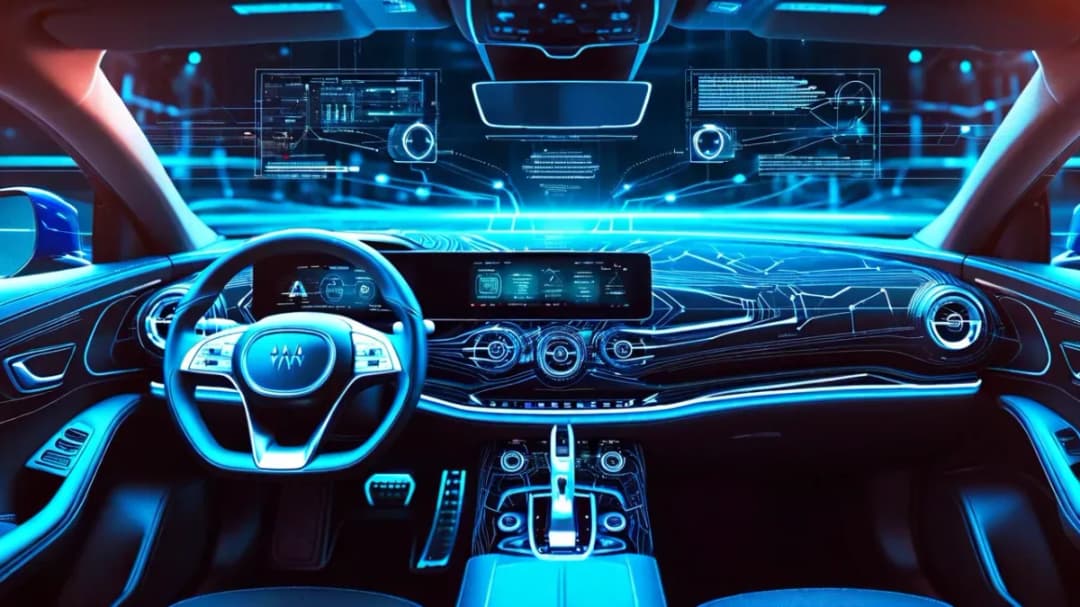
Zonal architecture flips this model completely. Instead of function-specific ECUs, modern cars use 3–5 powerful zone controllers positioned strategically around the vehicle. Each zone controller manages all functions in its physical area—front, rear, left, right, and central. These controllers connect through high-speed Ethernet backbones running at 1–10 Gbps, roughly 100 times faster than traditional CAN bus systems. Tesla pioneered this approach in 2012. Now every major automaker is racing to implement it. Platforms from global automakers follow the same principle: centralize computing power, use software to define functions, and enable remote updates.
The practical difference shows up in unexpected ways. Last year, Mercedes-Benz pushed an update that improved the EQS's range by 7% through better battery management algorithms. No hardware changed. The car just got smarter. But the same architecture that enables improvements also creates new failure modes. When Rivian's infotainment system crashed in early 2023, thousands of trucks lost access to climate control, navigation, and even door locks—all controlled through the central touchscreen. A mechanical car with a broken radio? You keep driving. A software-defined vehicle with a crashed computer? You might not get in. This fundamental change affects three critical areas:
Repair complexity: Mechanics can't simply swap parts anymore. Software configurations, calibrations, and security certificates must transfer correctly or the vehicle won't function
Diagnostic requirements: Traditional OBD-II scanners can't read most modern vehicle systems. Dealers need manufacturer-specific software and often cloud connectivity to diagnose issues
Component interdependence: Replacing a single module might require reconfiguring five other systems, turning a simple repair into a week-long dealer visit
The shift creates winners and losers in the used market. Cars with robust software architectures and long-term update commitments retain value. Those without become digital orphans, stuck with launch-day bugs and outdated interfaces that can't be fixed.
Used cars now face technology obsolescence that outpaces mechanical wear, as discontinued software support, incompatible infotainment systems, and expired connectivity services render otherwise functional vehicles outdated. This creates a new depreciation curve where a five-year-old car with unsupported software loses value faster than a ten-year-old mechanical vehicle with high mileage but simple, maintainable systems. I learned this lesson the hard way when I helped a friend buy a 2019 BMW 3 Series last year. Beautiful car, low miles, clean history. Three months later, BMW discontinued cellular connectivity for that model year's telematics module. Navigation lost live traffic. The mobile app stopped working. Remote start? Gone. The car functioned perfectly, but features he paid for simply vanished. Traditional depreciation curves follow predictable patterns based on mileage, condition, and brand reputation. Technology depreciation follows a different logic: support windows, compatibility lifecycles, and manufacturer commitment.
Most automakers won't commit to specific software support timelines. They'll promise "years of updates" without defining what that means. When I analyzed support patterns across major manufacturers, I found troubling inconsistencies. Tesla provides updates for vehicles dating back to 2012, though older models lost some features when their connectivity hardware became obsolete. Some global automakers have committed to around eight years of software support for newer EV platforms, while others offer no clear commitment beyond the warranty period. This creates real financial risk. A car that loses software support doesn't just miss out on new features. It faces:
Unpatched security vulnerabilities in connected systems
Incompatibility with updated smartphone operating systems
Degraded performance as apps and services expect newer software
Loss of cloud-dependent features when backend services shut down
The problem compounds with infotainment systems. When Apple and Google update their phone operating systems, they often break compatibility with older car systems. I've tested this repeatedly—my 2020 test vehicle lost Android Auto functionality for three months after Android 13 launched because the automaker hadn't updated the head unit software.
Every connected car relies on a cellular modem for over-the-air updates, emergency services, and remote features. These modems use specific cellular technologies: 3G, 4G LTE, or 5G. The problem? Carriers shut down older networks on aggressive timelines. "_blank" rel="noopener noreferrer nofollow" class="text-info underline" href="https://www.fcc.gov/consumers/guides/plan-ahead-phase-out-3g-services-and-devices">AT&T shut down its 3G network in February 2022, instantly disabling connectivity in millions of vehicles. T-Mobile followed in July 2022. Verizon completed its 3G shutdown by December 2022. Cars affected included:
Most early-generation electric vehicles built before the mid-2010s
Early-generation EV models from 2011–2016
Early-generation hybrid and EV models up to 2019
Countless luxury vehicles from manufacturers like BMW, Mercedes-Benz, and Audi built before 2018
Some manufacturers offered upgrade programs, charging ₹15,000–₹40,000 to replace the telematics module. Others simply abandoned older vehicles. Some premium EV owners received complimentary connectivity upgrades, while others had to pay for standard connectivity packages. Many owners never received clear notifications and discovered their vehicle’s connectivity had stopped working without warning. The same pattern will repeat with 4G LTE. Telecom providers haven't announced shutdown dates yet, but history suggests 8–12 years of service. A car purchased with 4G LTE in 2020 might lose connectivity by 2030, well within its useful life.
The dashboard touchscreen represents the most visible technology in any modern car. It also ages the fastest. Processors from 2018 struggle with modern app complexity. Display resolutions that seemed sharp five years ago look pixelated next to current smartphones. Response times that were acceptable at launch feel sluggish compared to today's tablets. But you can't upgrade it like a phone. The infotainment system integrates deeply with vehicle functions. In many cars, it controls climate settings, driver assistance features, and even core vehicle configurations. Replacing it requires extensive software recalibration and often isn't possible at all. I tested a 2017 MPV recently. The infotainment system takes nearly a minute to boot. Touchscreen response lags noticeably. The navigation maps haven't been updated in years because the owner would need to pay ₹10,000–₹12,000 for new map data, which feels unnecessary in the era of free smartphone navigation. Compare that to a 2017 sedan with Apple CarPlay or Android Auto. The built-in system may be equally outdated, but the owner simply uses smartphone integration for everything. The phone provides the interface, the apps, and the updates. The car's native system could be extremely outdated and it wouldn't matter. This creates a clear value hierarchy in the used market: System TypeAging PatternValue RetentionApple CarPlay / Android AutoAges with phone, not carExcellentTesla-style OTA updatesImproves over time if supportedVery GoodUpdatable native systemsDepends on manufacturer commitmentGood to FairStatic native systemsObsolete within 3-5 yearsPoor
Modern vehicles increasingly lock features behind ongoing subscription fees, from heated seats to advanced driver assistance, creating recurring costs that transfer unpredictably to used car buyers and fundamentally changing total cost of ownership calculations. A used car might advertise premium features that require ₹800–₹4,000 monthly subscriptions to actually use, turning one-time purchases into ongoing payment commitments. When BMW announced in 2022 that it would charge a monthly fee to activate heated seats already installed in the car, the backlash was immediate. The company quickly adjusted its approach in some markets. But the incident revealed where the industry is headed: hardware included, software access sold separately. This isn't theoretical anymore. I track subscription pricing across major automakers, and the landscape has shifted dramatically in just three years.
Automakers now charge recurring fees for features that used to be one-time purchases or standard equipment. The justification varies, but the result is the same: ongoing revenue from existing customers. Current subscription offerings include:
Remote features: Remote start, lock/unlock, vehicle status monitoring (₹800–₹2,000/month)
Driver assistance: Advanced cruise control, lane keeping, automated parking (₹2,000–₹4,000/month)
Performance upgrades: Increased horsepower, faster acceleration, improved handling (₹4,000–₹12,000/month)
Connectivity services: Wi-Fi hotspot, navigation updates, concierge services (₹1,200–₹2,800/month)
Comfort features: Heated seats, heated steering wheel, advanced climate control (₹800–₹1,600/month)
Tesla sells "Acceleration Boost" for ₹1.6 lakh, unlocking 0.5 seconds faster 0–100 km/h times through software. The hardware was always capable. You're paying to remove the artificial limitation. Mercedes-Benz offers an annual subscription of ₹95,000 for rear-wheel steering on the EQS. The hardware is installed in every car. The subscription activates it. GM's Super Cruise hands-free driving costs ₹2,000 per month after the initial trial period. The cameras and sensors are built into the car regardless.
Here's where it gets complicated for used car buyers: subscription transferability is inconsistent, poorly documented, and often surprising. When I researched this across 15 major manufacturers, I found complete chaos: Some subscriptions transfer automatically to the new owner with no fee. Others require the new owner to start a fresh subscription, even if the previous owner paid for a year upfront. Some features become permanently unavailable on used cars unless the original owner maintained continuous subscription status. Toyota's Remote Connect service includes remote start, guest driver monitoring, and vehicle health reports. New cars get a ten-year trial. Used cars? The trial doesn't transfer. The second owner must subscribe immediately at ₹650 per month or lose access to remote start, even though the hardware is fully functional. Tesla's Full Self-Driving package creates even stranger situations. The ₹9.6 lakh feature is supposed to transfer with the car. But when Tesla vehicles go through auction, the company has been known to remotely remove FSD before resale, then offer to sell it again to the new owner. Tesla claims this only happens when the feature wasn't properly included in the sale, but multiple buyers have reported losing access to features they thought they purchased. BMW's situation is slightly better but still confusing. Most subscriptions don't transfer, but the new owner gets a three-month trial of premium features. After that, they must subscribe or lose access. The car doesn't tell you this clearly—features simply stop working and you get a notification to "renew your subscription" for something you never subscribed to in the first place. Traditional TCO calculations include purchase price, fuel, insurance, maintenance, and depreciation. Now you need to add a sixth category: digital services. Let me show you a real example. A 2022 Cadillac Lyriq lists for ₹50 lakh new. Used models with 24,000 km sell for around ₹38 lakh. Looks like typical depreciation. But the new car included three years of Super Cruise, premium connectivity, and remote services. The used car? All expired. To match the original feature set, the new owner must subscribe to:
Super Cruise: ₹2,000/month (₹24,000/year)
Premium connectivity: ₹2,000/month (₹24,000/year)
Remote services: ₹1,200/month (₹14,400/year)
That's ₹62,400 per year in subscriptions, or ₹3.12 lakh over five years of ownership. The "savings" from buying used just shrunk by ₹3.12 lakh, and nobody mentioned it in the listing. Compare that to a 2022 Honda Accord. Remote start works forever through the key fob. Navigation uses your phone through CarPlay. Lane keeping and adaptive cruise control function without any subscription. The feature set never degrades. This creates a massive information asymmetry in the used market. Dealers rarely disclose expired subscriptions. Private sellers often don't know which features require ongoing payments. And buyers discover the truth only after purchase, when features stop working or payment prompts appear on the dashboard.From ECU Jungle to Zonal Architecture
What This Means for Vehicle Operation
The Hidden Depreciation Factor: When Technology Ages Faster Than Metal
The Software Support Cliff
Cellular Connectivity: The Ticking Time Bomb
Infotainment System Obsolescence
Subscription Services and Digital Lock-Ins: The New Cost of Ownership
What's Behind the Paywall
The Used Car Subscription Problem
The Total Cost of Ownership Calculation Changes
When Subscriptions Make Sense (and When They Don't)That's ₹62,400 per year in subscriptions, or ₹3.12 lakh over five years of ownership. The "savings" from buying used just shrunk by ₹3.12 lakh, and nobody mentioned it in the listing. Compare that to a 2022 Honda Accord. Remote start works forever through the key fob. Navigation uses your phone through CarPlay. Lane keeping and adaptive cruise control function without any subscription. The feature set never degrades. This creates a massive information asymmetry in the used market. Dealers rarely disclose expired subscriptions. Private sellers often don't know which features require ongoing payments. And buyers discover the truth only after purchase, when features stop working or payment prompts appear on the dashboard.
I'm not reflexively anti-subscription. Some digital services legitimately require ongoing infrastructure costs and justify recurring fees. Real-time traffic data, satellite connectivity, and cloud processing for advanced AI features all have genuine operational expenses. But charging monthly fees to activate hardware already installed in the car? That's just revenue extraction. The heated seat doesn't require cloud services. The rear-wheel steering doesn't need ongoing software development. These are artificial paywalls on physical components you already purchased. The distinction matters for used car buyers. Services that depend on external infrastructure (navigation updates, cellular connectivity, cloud AI processing) will always require some form of ongoing payment. Features that use only local hardware and software should work forever once purchased. Smart buyers now ask dealers and private sellers to demonstrate every feature during test drives, then verify which features require subscriptions and whether those subscriptions transfer. It's tedious, but it's the only way to know what you're actually buying.
Due Diligence for Digital-Era Used Car Purchases: What to Verify Before You Buy
Buying a used car now requires verifying software version compatibility, manufacturer support timelines, subscription transferability, and cellular modem technology—checks that didn't exist five years ago but are critical to avoiding expensive surprises. A thorough digital inspection takes 30-45 minutes but can reveal deal-breaking issues that traditional mechanical inspections miss entirely. Last month, I walked away from a 2020 Audi e-tron purchase after discovering the MMI infotainment system was three major versions behind current, with no available updates. The dealer insisted it "worked fine." But I knew that outdated software meant incompatibility with current smartphone systems, potential security vulnerabilities, and degraded performance. The $8,000 discount wasn't worth inheriting a digital orphan. Traditional used car inspections focus on mechanical condition, accident history, and maintenance records. Those still matter. But they're no longer sufficient. You need a digital inspection checklist that covers software, connectivity, and feature verification.
Software Version and Update History
Start by identifying the current software version running on the vehicle. Most cars display this in the settings menu under "System Information" or "About." Write down the exact version number. Then verify three things:
-
Is this the latest available version for this model year?
-
When was the last update applied?
-
Does the manufacturer still actively support this software version?
You can usually find current software versions on manufacturer forums, owner communities, or by calling the dealer service department. If the car you're considering is multiple versions behind, that's a red flag. Either the previous owner neglected updates, or the car can't receive them anymore. Check the update history if available. Some vehicles log past updates in the settings menu. A car that received regular updates until recently suggests active manufacturer support. A car that hasn't updated in two years suggests abandonment. For vehicles with over-the-air update capability, verify it actually works. If possible, ask the seller to check for updates during your test drive. If the system reports "No updates available" but you know newer versions exist, the car might have connectivity issues or be excluded from the update program.
Cellular Modem Technology
This single component determines whether connected features will work for the next 5-10 years. You need to verify two things: what cellular technology the car uses, and whether it's been upgraded if originally equipped with obsolete tech. The information isn't always easy to find. Try these approaches: Check the owner's manual or infotainment system documentation. It should specify whether the vehicle uses 3G, 4G LTE, or 5G connectivity. If it says 3G, walk away—those networks are already shut down. Call the manufacturer's customer service line with the VIN and ask specifically about the cellular modem generation. They can look up the exact hardware installed. For vehicles originally equipped with 3G that should have been upgraded, verify the upgrade actually happened. Some manufacturers sent notifications but didn't force compliance. The previous owner might have ignored the notice, leaving you with a non-functional telematics system. Test the connected features during your inspection:
-
Open the manufacturer's mobile app and verify it connects to the vehicle
-
Try remote lock/unlock, remote start, and vehicle status requests
-
Check whether navigation receives live traffic data
-
Verify the Wi-Fi hotspot activates if equipped
If any connected feature doesn't work, determine why before purchasing. It might be an expired subscription (potentially acceptable) or failed hardware (expensive to repair).
Subscription Status and Transferability
Create a complete list of every feature in the vehicle, then categorize each as hardware-based, software-based, or subscription-based. This takes time but prevents expensive surprises. During the test drive, systematically test every feature:
-
Activate heated and ventilated seats
-
Test adaptive cruise control and lane keeping
-
Use the navigation system and verify map currency
-
Try remote features through the mobile app
-
Check whether performance modes or drive settings unlock
For each feature that works, determine whether it requires an active subscription. Check the vehicle's subscription management screen (usually in settings under "Subscriptions" or "Connected Services"). Note which subscriptions are active, when they expire, and whether they're in trial periods. Then contact the manufacturer directly and ask:
-
Which subscriptions transfer to a new owner automatically?
-
Which subscriptions require the new owner to start fresh?
-
Are there any features that become unavailable on used vehicles?
-
What is the cost to subscribe to each service?
Get this information in writing if possible, or at least document the date, time, and representative name from your call. Dealers often don't know the correct answers, and you'll want proof if features disappear after purchase.
Manufacturer Support Timeline
Research the manufacturer's track record for long-term software support. This requires some detective work, but owner forums and enthusiast communities provide valuable insight. Look for answers to these questions:
-
How long has the manufacturer supported previous generation vehicles?
-
Are there examples of the manufacturer abandoning software support before the vehicle reached end-of-life?
-
Does the manufacturer have a public commitment to software support duration?
-
What happens when support ends—do features degrade or simply stop improving?
Tesla has the longest support track record, providing updates to 10+ year old vehicles. Traditional manufacturers have shorter, less consistent histories. Startup EV companies like Rivian and Lucid promise long-term support but lack the track record to verify those claims. If you're considering a vehicle from a manufacturer with poor support history, factor that into your pricing. A car that might lose software support in two years should sell at a significant discount compared to one with guaranteed long-term updates.
Compatibility Testing with Your Devices
Bring your actual smartphone, smartwatch, and any other devices you'll use with the car. Test compatibility in person before purchase. Verify these functions work correctly:
-
Bluetooth pairing and audio streaming
-
Apple CarPlay or Android Auto connection (wired and wireless if equipped)
-
Phone-as-key functionality if advertised
-
Smartwatch integration for remote features
Pay attention to connection reliability. Some older infotainment systems pair successfully but drop connections frequently or exhibit audio stuttering. These issues rarely improve and significantly degrade the ownership experience. Test CarPlay or Android Auto thoroughly. Connect your phone, launch navigation, make a test call, play music, and send a text via voice command. Some systems implement these features poorly, with laggy response times or frequent disconnections that make them frustrating to use.
Digital Service Records
Modern cars log extensive data about their operation, maintenance, and issues. This data is incredibly valuable for assessing vehicle condition but isn't always accessible. Ask the seller or dealer to provide:
-
Complete service history from the manufacturer's database (accessible via VIN)
-
Any diagnostic trouble codes currently stored in the vehicle's systems
-
Battery health reports for hybrid and electric vehicles
-
Software update history if available
Many manufacturers provide owner portals where this information is accessible. If the seller has access, ask them to show you the complete vehicle history through the portal. This often reveals information not included in traditional vehicle history reports. For electric vehicles, battery health is critical. Most EVs display battery degradation statistics in the settings menu. A 2020 EV should retain 90-95% of original capacity. If it shows significantly more degradation, that suggests hard use, frequent fast charging, or potential battery issues.
Independent Software Inspection
Some independent mechanics now offer digital vehicle inspections focused on software, connectivity, and electronic systems. These services are still rare but growing more common in markets with high EV adoption. A thorough digital inspection should include:
-
Complete diagnostic scan of all vehicle systems
-
Software version verification across all modules
-
Connectivity testing and cellular modem verification
-
Feature functionality verification
-
Subscription status documentation
Expect to pay ₹12,000–₹24,000 for this service. It's worth it for any vehicle with extensive digital features, particularly EVs and luxury vehicles where software issues can cost lakhs to resolve.
How to Evaluate a Used Car's Digital Health: A Step-by-Step Process
Follow this systematic process to assess the digital condition of any used vehicle before purchase. This checklist complements traditional mechanical inspections and takes 30-45 minutes to complete thoroughly.
Step 1: Document the Current Software Environment
Before you even test drive, gather baseline information about the vehicle's digital systems. Navigate to the settings menu on the infotainment screen and locate the system information section. Record the following details:
-
Infotainment software version number
-
Operating system version if displayed separately
-
Map data version and last update date
-
Any firmware versions shown for subsystems
Take photos of these screens for reference. Then research online whether these versions are current for the model year. Owner forums, Reddit communities, and manufacturer websites usually document the latest available versions. If the vehicle is more than one major version behind current software, ask why. The seller should be able to explain whether updates were declined, unavailable, or if the car has connectivity issues preventing updates.
Step 2: Test All Connected Features While Online
Verify the vehicle has active cellular connectivity by checking the signal indicator on the infotainment screen. Then systematically test every feature that requires connectivity: Open the navigation system and verify it displays live traffic data. Static traffic displays or "No traffic information available" messages indicate connectivity problems. Access any streaming services or apps built into the system. Try loading a radio station through TuneIn or similar services. If these fail to load, the internet connection isn't working. If the vehicle offers a Wi-Fi hotspot, enable it and connect a device. Verify actual internet access, not just connection to the car's network. Request a software update check. Navigate to settings and select "Check for Updates" or similar. Even if no updates are available, the system should successfully contact the server and report back. Error messages indicate connectivity or account issues.
Step 3: Verify Feature Functionality and Subscription Status
Work through every premium feature advertised in the vehicle listing. Don't assume anything works until you've tested it personally. For driver assistance features, find a safe location to test:
-
Activate adaptive cruise control and verify it maintains distance from vehicles ahead
-
Test lane keeping assist and verify it provides steering input
-
Try automated parking if equipped
-
Check whether traffic sign recognition displays current speed limits
For comfort and convenience features:
-
Turn on heated seats and steering wheel, verify they warm up
-
Test ventilated seats if equipped
-
Try remote start from both the key fob and mobile app
-
Verify the power liftgate operates automatically
While testing, watch for subscription prompts or trial period notifications. These indicate the feature currently works but will require payment to continue. Access the subscription management screen and document every active subscription, trial period, and expiration date. Take photos for your records.
Step 4: Verify Mobile App Functionality
Download the manufacturer's mobile app if you haven't already. Ask the seller to temporarily grant you access to test functionality, or request they demonstrate all features while you observe. Test these critical functions:
-
Vehicle location display on the map
-
Door lock and unlock commands
-
Remote start and climate control
-
Charging status and control for EVs
-
Vehicle health and diagnostic information
Pay attention to response times. Commands should execute within 5-10 seconds. Longer delays or frequent failures indicate connectivity issues or server problems that will frustrate you throughout ownership. Check whether the app requires an active subscription. Some manufacturers bundle remote features with paid connectivity plans. If the current owner's subscription expires next month, you'll need to subscribe to maintain access.
Step 5: Research Manufacturer Support and Owner Experience
Before committing to purchase, invest 30 minutes researching the specific model's software support history and common issues. Search owner forums and Reddit for these topics:
-
"[Model] software issues"
-
"[Model] infotainment problems"
-
"[Model] connectivity problems"
-
"[Model] software update"
Look for patterns. If dozens of owners report the same software bug that hasn't been fixed in two years, the manufacturer has likely abandoned active development for that model. Check whether the manufacturer has announced end-of-support dates for the model year you're considering. Some brands explicitly state support timelines; others remain vague. Contact the manufacturer's customer service line with the vehicle's VIN and ask directly:
-
"What is the expected software support timeline for this vehicle?"
-
"Are there any planned updates or improvements for this model year?"
-
"What happens to connected features when software support ends?"
Document their responses. If they can't or won't answer these questions, that's valuable information about the level of support you can expect.
Conclusion
The used car market isn't what it was five years ago. You're not just buying metal and rubber anymore. You're inheriting a software ecosystem that might stop working the moment the previous owner's subscription lapses. Before you sign, verify that over-the-air updates still support your target model year. Check if the infotainment system can pair with your phone's current OS. Ask the dealer outright which features require ongoing payments and whether they transfer to you. Pull the vehicle's software version and cross-reference it against the manufacturer's end-of-life roadmap. These steps sound tedious, but they'll save you from owning a car that feels outdated six months after purchase. The smartest buyers treat used cars like used smartphones now. They ask about update eligibility, app compatibility, and digital lock-ins before they ask about mileage. That shift in mindset separates buyers who get value from those who inherit expensive tech debt. Start thinking like a software auditor, not just a mechanical inspector, and you'll spot the real deals in a market where the dashboard matters more than the engine bay. For more insights on navigating the evolving automotive landscape, explore resources from Consumer Reports' automotive section.
About nxcar
nxcar is a leading authority in automotive technology transformation, specializing in software-defined vehicle architectures and the intersection of digital ecosystems with traditional car ownership. With deep expertise in over-the-air update protocols, subscription-based feature models, and the depreciation dynamics of connected vehicles, nxcar helps buyers and industry professionals navigate the complex landscape where automotive engineering meets software development. Their analysis bridges technical depth with practical consumer guidance, making them a trusted voice for anyone seeking to understand how modern cars really work behind the dashboard.
FAQs
What's really changing in modern cars that I can't see?
The biggest changes are happening in software, sensors, and computer systems that control everything from safety features to entertainment. Modern cars are essentially computers on wheels, with more code than a fighter jet and constant connectivity to the cloud.
Why does software matter when buying a used car?
Software determines whether features keep working, if security vulnerabilities get patched, and how long the car stays functional. If the manufacturer stops supporting updates, your car could lose features or become a security risk even if the engine runs fine.
Can I update an older car's tech like I update my phone?
It depends entirely on the manufacturer. Some brands offer over-the-air updates for several years, while others require expensive dealership visits or stop supporting older models completely. Tesla and some luxury brands tend to offer longer support windows.
What happens to all the fancy features when a car gets older?
Many tech features can become obsolete or stop working when manufacturers end software support. Touchscreens might slow down, apps could stop functioning, and connected services often require paid subscriptions that previous owners may not renew.
Should I worry about buying a used electric or heavily computerized car?
You should definitely check the software support timeline and whether critical features require active subscriptions. Also verify that safety systems and battery management software still receive updates, as these directly affect reliability and resale value.
How do I know if a used car's tech is still supported?
Contact the manufacturer directly or check their website for software support policies. You can also ask the dealer for documentation showing recent updates and whether the car qualifies for future ones.
Are simpler cars actually better investments now?
Not necessarily, but they're often cheaper to maintain long-term. Cars with fewer complex systems have less to go wrong, but you'll miss out on safety features and conveniences that many buyers now expect.
What's the biggest mistake used car buyers make with tech-heavy vehicles?
Assuming all the features will keep working forever. Many buyers don't realize that connected services, navigation updates, and even some safety features depend on ongoing manufacturer support that could end without warning.
Related Reading
The Hidden Complexity of Modern Headlight Technology